
Reviews drive a lot of purchases, which is why regulation no longer treats them as plain marketing. If your site shows customer reviews, you need to be able to explain where they come from. To solve this in WordPress I built Atesta, a free verified reviews plugin now listed in the official directory.
1. What has changed for reviews
The EU Omnibus Directive, transposed in Spain in 2021, requires businesses that display reviews to state whether and how they check that they come from customers who actually bought or used the product. It also treats publishing or commissioning fake reviews as an unfair practice.
Spain's Law 10/2025 on customer service goes further with measures against fake reviews: a review must reflect a real and recent experience, buying and selling reviews is banned, businesses get a right of reply and can request removal if they prove the author was never a customer (Spanish Government summary).
2. What a site needs for verified reviews
- Ask only people who bought or used the service.
- Tell verified reviews apart from unverified ones.
- Keep tamper-evident proof of every verification.
- Publish a policy explaining how reviews are verified.
- Moderate without hiding negative reviews.
3. How Atesta handles it
- Single-use invitations: signed, expiring links sent after the WooCommerce order status you choose or, without a shop, manually, via CSV or with a QR code for restaurants and services.
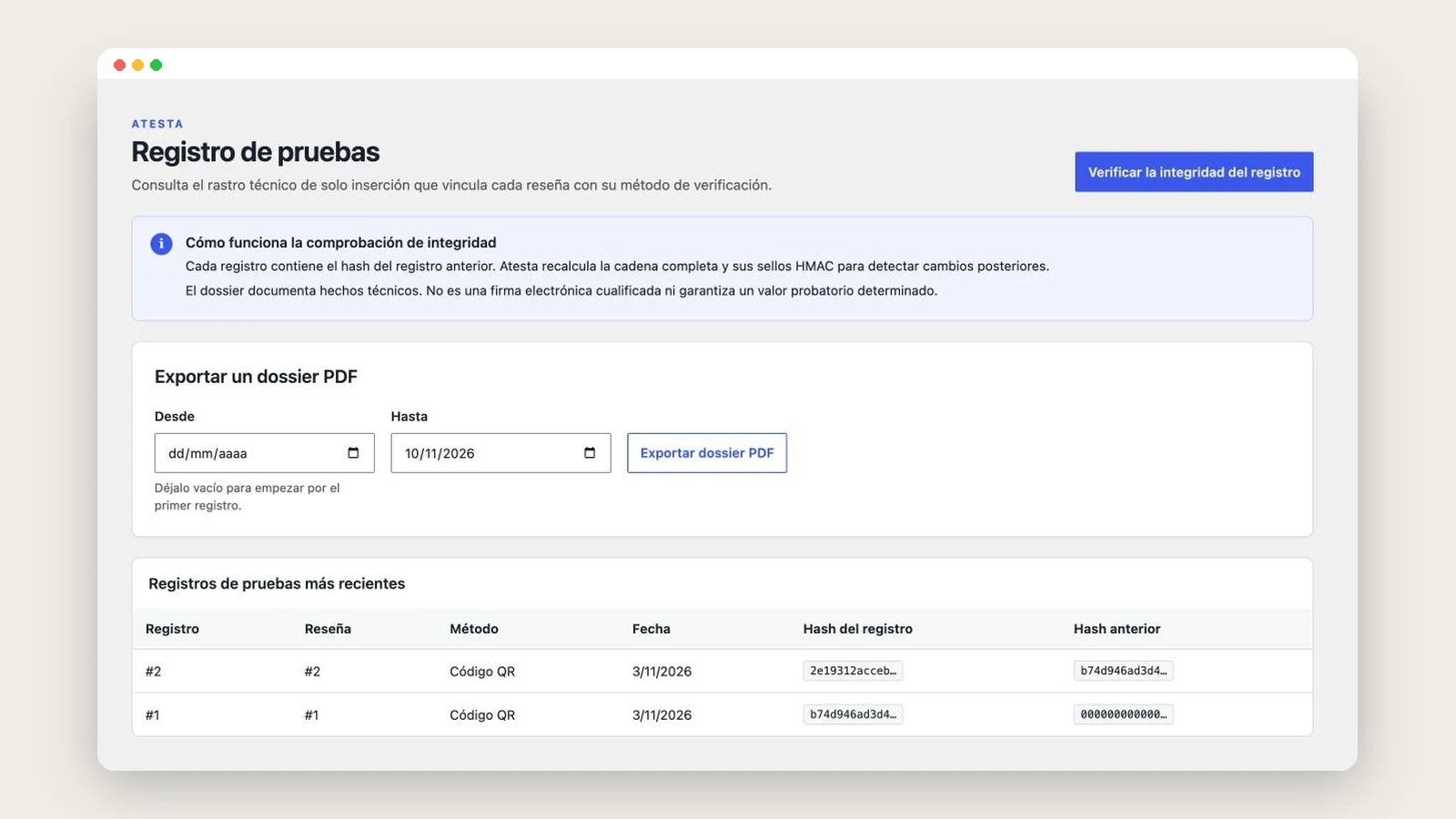
- Evidence ledger: every step goes into an append-only ledger with chained hashes and an integrity checker. You can generate a PDF dossier per review or date range.
- Honest moderation: star rating is never a reason to reject. Rejection reasons are fixed and you can reply publicly.
- Verification policy: an editable, versioned template to publish how you verify, with a reminder to have it reviewed by your adviser.
- SEO and privacy: Review and AggregateRating schema on products only, GDPR export and erasure, and support for WPML, Polylang and multisite.
Gutenberg blocks and equivalent shortcodes ([atesta_formulario], [atesta_resenas], [atesta_insignia]…) let you place it with any theme or with Elementor.
4. Get it running in five steps
- Install and activate Atesta from Plugins › Add New (requires WordPress 6.5 and PHP 8.1).
- In Atesta › Settings, choose the verification methods and when invitations are sent.
- In Atesta › Policy, publish the page explaining how you verify reviews.
- Add the form, list and badge blocks to the pages you want.
- Ask your legal adviser to review the generated texts.
5. What Atesta does not do
Atesta is a technical tool: it provides controls, evidence and templates, but it is not legal advice and does not guarantee compliance on its own. It does not mark reviews imported from other systems as verified, and Google sync is optional and off by default.
You can download Atesta for free on WordPress.org and see how I built it in the Atesta case study. If you need it adapted to your site or a custom plugin, get in touch via WordPress development.